
|
|
PC Group Operating Policies & Procedures PC
General Meeting
|
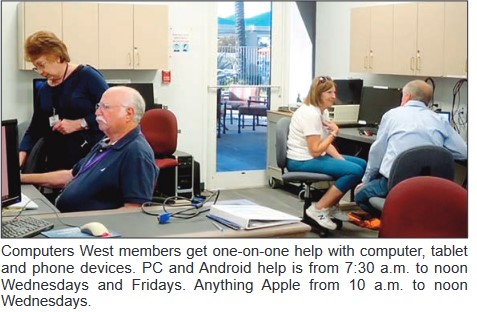
The Help Group is available Wednesday, 7:00 am to 9:00 am.
As
some of you may be aware, we have been waiting replacement of the Jim Healy
Windows 7 has so many "NEW EXCITING FEATURES". Get to know Windows 7 by attending the Windows 7 "How To" course in the Palo Verde Room on Mondays for 8 weeks at 8:00 am (2 Hours each week) as scheduled below: Dates
9/13/10
9/20/10 9/27/10
10/4/10
10/11/10
10/18/10 10/25/10
11/1/10 Dates
11/8/10 11/15/10
11/22/10 11/29/10
12/6/10
12/13/10 12/20/10
12/27/10 Dates
1/10/11 1/17/11
1/24/11
1/31/11
2/7/11
2/14/11 2/21/11
2/28/11 Dates
3/7/11
3/14/11 3/21/11
3/28/11
4/4/11
4/11/11
4/18/11
4/25/11
For more Win 7 course information click here.
COURSE
MATERIAL:
The
Win 7 "How To" Instruction Book is used. Printed copy of book (150
pages) in Binder is available in Palo Verde Room during class. Cost of Book is
$10.00 (Bring
check payable to Computers West). COURSE
CONTACT:
Thearon
Taylor: DVTTWT@aol.com BOOK
CONTACT:
Bill Charvat: desertrats2@cox.net
View Slide Show of The Windows 7 Team!
PC FLIGHT SIMULATOR Note: Flightism will be on vacation all of August.
8 – 9 Solo Flight No Fee, Reservation Required, Visitors Welcome
9 – 10 Learn to Fly No Fee, Reservation Required, Visitors Welcome
10 - 12 Flight Demonstration & Ground SchoolWalk-In, No Fee, Visitors Welcome
Flight
Simulator Dates and Times: - Every 2nd & 4th Wednesday, 8 to 12 Noon in the Palo Verde Room. Prerequisite: None Club Contacts: E-mail pc.flight.sim@gmail.com or call Bill Berry at 623-322-9392 or Bill Barker at 623-748-3083. Course Outline: Using Microsoft Flight Simulator software along with the Club’s Computer and Flight Simulator Controls students can learn to fly and experience the thrill of flying anywhere in the world with dozens of different aircraft. Flight Instructors are former Airline, Military or Private Pilots who love to fly and enjoy teaching others “The Thrill of Flight”. Instructors: Ed Archambult, Bill Barker, Bill Berry, Bill Eckenberg, Flemming Lorck and Bob Nelson. Course Material: None Course Signup: Reservations are required for the No Fee 8 to 9 “Solo Flight” Class and the No Fee 9 to 10 “Flying Lessons”. For reservations: E-mail pc.flight.sim@gmail.com Visitors are welcome to attend these classes and do not need to register. The 10 to 12 Noon Flight Demonstration and Ground School Class is “Walk in - No Fee”. Visitors are welcome and reservations are not required. Come on in and see what flying a flight simulator is all about.
A 4 week class for people with no or little computer experience! Hands-on Class Covering Windows XP, Vista
Oct. 4, 11, 18, 25.
Nov. 1, 8, 15, 22
Dec. 6, 13, 20, 17
Jan. 10, 17, 24, 31, 2011
Envelopes to register for this class will be available starting August 15th. Bring a check and your Rec Card. This is a 4-week course of 2-hour sessions, once a week. Location: Room B -- Fee: $10.00 Instructor: Bette Knuppel: bbknuppel@cox.net For more information click here. View 2010 Class pictures: Class Picture
Windows Live Mail "How to Download and Install Windows Essentials" and will cover how to set-up and use "Windows Live Mail". This is the email service of the future. Because your email stays in the clouds, your Contacts List will always be current and available when logging onto your Windows Live Mail Account from any on-line computer. This service is recommended for the future OS Windows 7 from Microsoft, and also works great in XP and Vista. Free to members of the PCUG --- Walk-in - no fee Watch for new classes this fall.
PC Open Discussions
Come Join The Crowd
Computer Problem
or Question? Someone in this group probably has the answer
Palo Verde Room - Walk-In - No Fee. Each Thursday from 10:00-12:00 year around except Holidays. Moderators: Tim and Karen
Please send topics and/or questions to: pcthursgroup@gmail.com
Add your name to the email list: send us an email with Add me to list in the subject line."
How To Buy A Computer
No fee - Walk in class - YOU NEED NOT BE
A MEMBER OF COMPUTERS WEST.
Palo Verde Room - Walk-In - No Fee. Second Thursday of February, March, April, May, October, November and December from 1:00-3:00 pm. Instructor: Bill Knight: amaziah62@gmail.com
Linux
Windows 7 Hands On
Room B- $10.00 Course Fee - 6 Weeks
Watch this site for specific dates and times. Instructor: Al van der Schyff: alvands@cox.net
Adobe Photoshop Elements 7 (Intermediate) Intermediate
Photoshop Elements courses are tentatively scheduled for January and March,
2011. Course Outline: Intermediate Elements
Adobe Photoshop Elements 7 (Advanced) Advanced
Photoshop Elements courses are tentatively scheduled for April, 2011.
Adobe Photoshop Elements 7 (Beginning) Beginning
Photoshop Elements courses are tentatively scheduled for October and November,
2010 and January, February and March, 2011.
Windows (Beginning) Palo Verde Room - Walk-In - No Fee - Each Tuesday from 8:00-10:00 (Except Holidays). Tuesday from 8:00-10:00 (Except Holidays). Instructors: Rene, Jan, and Patrish welcome you to two hours of computer education that you will enjoy. Learn how to handle the mouse - keyboard and new words - terms - and programs to assist you in enjoying your computer world. Learn about your computer club. No registration or sign up. Class is held all year long. Come on in. The objective of the beginning class is to prepare members for the basic hands-on class. Learn the basics while meeting friendly people.
Genealogy Group Meetings
Is Your “Family Tree” Full Of Holes?
Stop by this great
gathering of CW Genealogy Researchers, you might find the help you have been
looking for.
Palo Verde Room - Walk-In - No Fee. First Tuesday of each month from 3:30-5:30 Coordinator: Vern Johnson: veshe@aol.com
Internet - Wireless Download:
Internet - Wired Download:
WordPerfect Workshop
Palo Verde Room - Walk-In - No Fee. Each Thursday from 8:00-10:00 (Except for Holidays) Moderator: Bob Walther: bobwalther@cox.net - (623) 546-1213
|
Questions or problems regarding this web site should be directed to webmaster@pcscw.org.
|